

Have you decided to pass the TOEFL IBT test? Great idea, but before you make any step, it is important to understand all the steps of registering in order to not make any mistake. Worry not, it is very simple and we will guide you through it step by step.
Here is what you will learn in this article:
- How to create a TOEFL account and register for it online?
- How and when you receive your TOEFL IBT scores and results?
- How to train for your TOEFL IBT with GlobalExam?
Ready? Let’s jump right in.
How to Create a TOEFL Account and Register for It Online?
To register for the TOEFL online, you need to go on the official website of the ETS institution (Educational Testing Service). Registering online to the TOEFL works in several steps, as explained in the guide edited by the ETS website. This guide is only available in English.
However, before registering for the TOEFL test, you have to be aware of the following:
- You need to familiarize yourself with the accepted forms of payment, fees, and payment policies.
- Make sure that the name you use when registering matches the identification (ID or passport) that you need to bring on test day.
- The ETS is bound to serve test takers with health-related needs or disabilities. You can download this form to learn more about registration procedures and available accommodations.
If you’re interested in registering for TOEFL, GlobalExam is offering a quick run-through of the steps to follow for those who want to pass the TOEFL.
Step 1: ETS
First off, you need to go to ets.org. Once you land on the ETS home page, go to the ” Tests and Products ” tab and select the TOEFL heading. You can also choose to register using the official TOEFL app, which is free on both Google Play and App Store.
Step 2: Registration
Once you find yourself on the TOEFL heading, click on ”Register for the Test “. (The TOEFL heading is in English by default, but don’t forget that you can choose your language with the ”Select a Language” section on the right). In case you already have an account, then you only need to log in to your existing account. You can also choose to register for the TOEFL at Home Edition if you prefer that version.
Step 3: Registration mode
The ETS website offers you several options to register to the TOEFL:
- You can register online;
- You can register on the phone;
- You can register by email;
- You can register by going to a TOEFL exam centre.
The quickest solution is to register online with a form to complete online. Plus, the other alternatives to register for the TOEFL aren’t available everywhere.
Step 4: Online registration
To register to the TOEFL online, you have to click on ”Register Online” (or ”Inscription en ligne” if you’ve chosen to read the page in French). Keep in mind that you can also select the Home Edition option. However, it will appear only if this option is available in your country.
Step 5: Form
You can then find the registration form online. Note that this registration form is only available in English. Before moving forward to the next step, the candidate has to verify all necessary stuff. Finally, one has to click the “I Agree” checkbox at the bottom.
Step 6: Profile
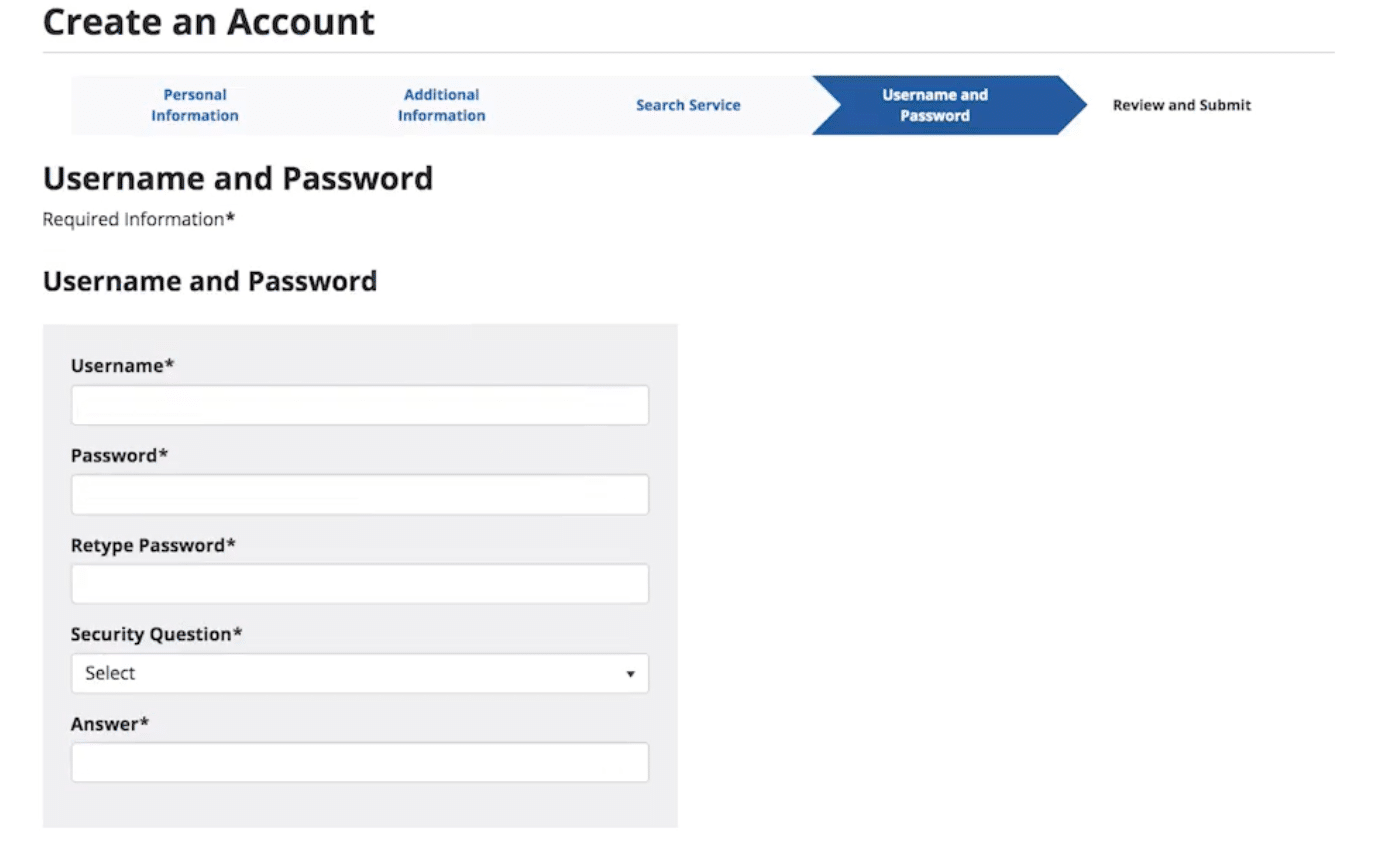
To register online, you must first edit your profile by filling in personal information. It is very straight-forward to follow: they ask you to fill the information needed step by step.
Step 7: Choice of test
You must then choose the test you’re looking to undergo: that is, the TOEFL.
In this step, candidates have to click “TOEFL Test” and enter with “Continue”. If a candidate wishes for more score reports then one has to click “TOEFL Services.”
Step 8: Choice of session
Candidates would be then required to select their TOEFL Exam Date that is most convenient to them as test-takers.

You can put the city you are interested in or check the box of “Use my current location”.
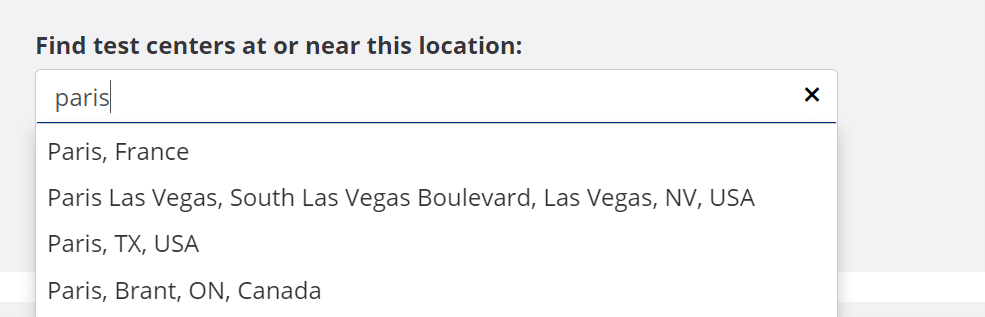
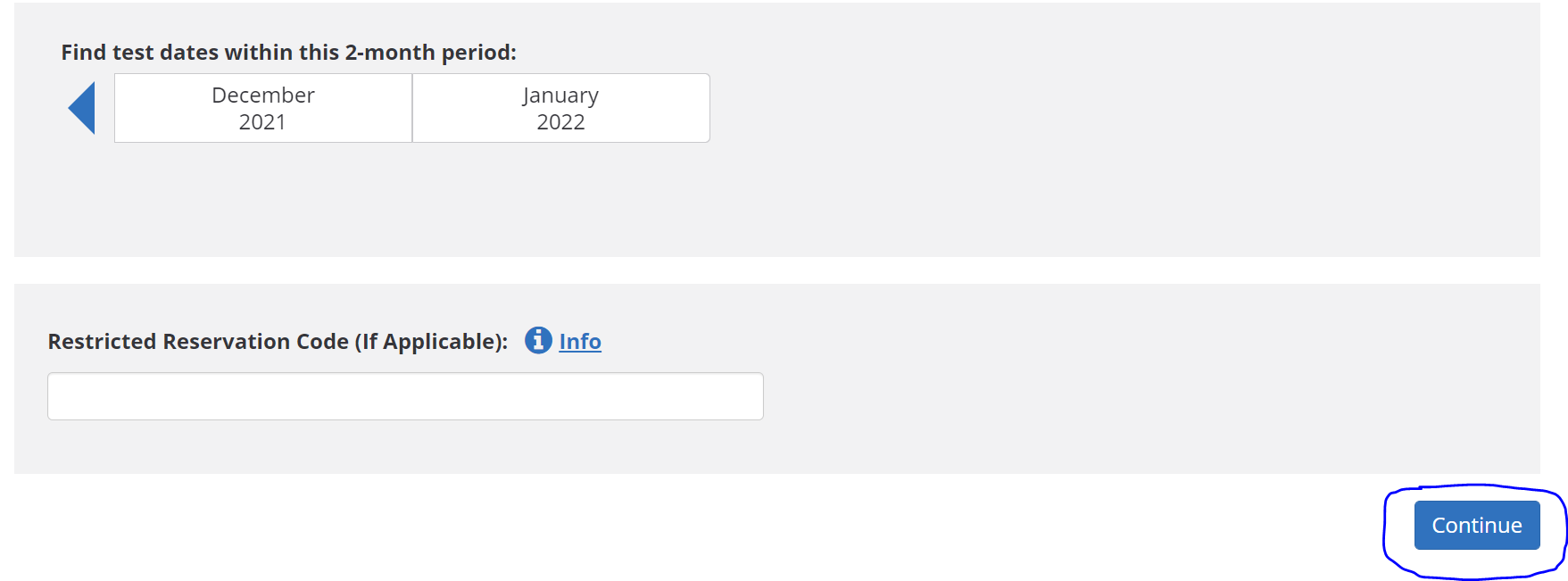
Then, fill in the date and the exam centre that best suits you. (To optimise your chances of finding an available place at your chosen date and in the centre you prefer, register early enough.)
After having entered your choices, the ETS website will show you all the available places to pass the TOEFL according to your wishes. Spot the session you want, and select it. 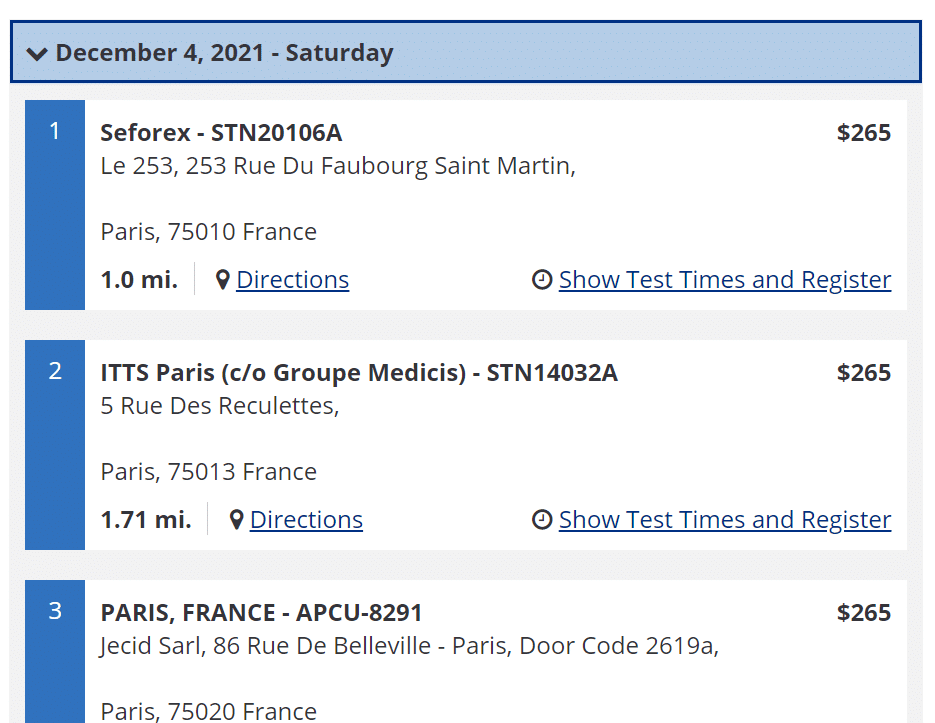
To select your test appointment, confirm your time zone or select a new one. Choose the two-month period when you would like to take the test, and select an available test date from the calendar. Then select an available time for your test, and click “Register for this test.”
The following page provides you with information that you should know before you complete your registration. It also offers a link to request accommodations in case you have a disability or health-related issue.
Review the information in the Acknowledgement section, check the box, and click “Next.”
Step 9: Summary
Once you’ve chosen a test session that suits you, you end up on a summary. Your chosen date and exam centre are indicated there. Careful: the registration is not effective yet; to confirm your registration, you still need to pay online.
Step 10: Payment
You need to pay online to confirm your registration to the TOEFL. You may only pay by credit card. Enter any Promotion or Voucher codes you may have, agree to the terms and conditions, and choose “Pay Now.” We have written an article on the TOEFL cost around the world. Feel free to take a look at it if you need detailed information about the price of the exam in the country of your choice.
Select your payment method and currency from the available options. Enter the required payment information – and then click “Buy.” Once your payment is verified, you will receive a confirmation email with your test information.
Check that your payment has been processed correctly: you should then see a page confirming your payment.
Step 11: Confirmation
You are registered to the TOEFL. The ETS website gives you a registration confirmation, which you have to bring on D-Day. This registration confirmation works as a convocation.
Careful: the registration confirmation is not sent by mail automatically; you must choose this option. Think of clicking on ” Email “, and to print this registration confirmation.
How and When Are You Going to Receive Your TOEFL IBT Score Results?
Passing the TOEFL exam and getting great results will help you stand out to admissions and institutions, increasing your chances to be accepted to the school/job you are wishing to be a part of.
Here is what your scores mean:
- Your true abilities in the English language the way it is used in classrooms.
- Unbiased and fair scores that do not come from a test center, but from a centralized scoring network.
The TOEFL scores are accepted in over 150 countries by more than 11,000 institutions. So, if your goal is to study at a university, make sure they accept the TOEFL scores.
Thought your ETS account
You will be allowed to view your scores in your ETS account after 6 days of your test date. You don’t have to check regularly because you will be receiving an email whenever the scores are available.
Your scores will be ready to download as a PDF form within 8 days after the test. Also, the scores will be valid for two years. If you have questions regarding your score report, contact TOEFL Services.
By e-mail
In case you requested a paper copy of your score before your test date, then you will receive an email of your scores within 11 days after your test date, and based on local postal services, the delivery time will vary.
Train for the TOEFL IBT Online With the Best Solution: Globalexam
Preparing for the TOEFL test can be a little daunting at first, but with the right tools and mentors, GlobalExam can help you!
GlobalExam is the first e-learning platform with great online programs that will help you get a better understanding of the TOEFL test format while boosting your grammar and vocabulary skills.
Our online TOEFL exam preparation lets you access the following:
- Exercises to get the practice you need with all of the TOEFL tasks and question types.
- Timed mock exams and tips, which are great ways to actually experience the pressure and nervousness of the real test.
- Free sample practice test and corrected materials -you better know where you went wrong and how to go about fixing your mistakes if you want to improve.
- Progress tracking with statistics, keeping you informed of your current abilities and what you need to do to get better.
- Feedback for motivation since even the most focused individual needs some boosting.
- Choice of study paths that allows you to select the path that suits you best.
- Grammar sheets and vocabulary lists to boost your skills.
So, what are you waiting for? Join GlobalExam today.